
H3 Image: Online 4K AI Image Generator & Studio
Run MiniMax H3 Image 4K text-to-image and reference photo editing directly in your browser for 12 credits per generation. Skip downloading 66GB open-weight checkpoints, debugging ComfyUI GGUF nodes, or waiting 50 minutes on 6GB–16GB consumer GPUs. Upload one reference image (PNG, JPG, or WEBP up to 30MB) to lock facial identity, remove foreground obstructions, or render crisp quoted typography—and switch directly to GPT Image 2 (2K, 16 credits) or Nano Banana 2 (4K, 18 credits) in one workspace.
Reference image (optional · H3 Image 4K / GPT Image 2 2K)
JPEG, PNG or WebP · up to 30 MB · 300–6000 px per side · ratio 2:5–5:2.
Checking sign-in…
Generate Native 4K Visuals or Edit a Reference Photo with H3 Image
Start with H3 Image (4K text-to-image & reference editing, 12 credits), or compare side by side with GPT Image 2 (2K, 16 credits) and Nano Banana 2 (4K, 18 credits).
What Is the H3 Image Generator & Reference Editing Studio?
MiniMax H3 Image is a browser-based 4K AI image generator and reference photo editing workspace built on a 33B single-stream diffusion transformer and Qwen3-VL-32B encoder. On nabn, creators generate native 4K scenes or edit a reference image for 12 credits without downloading 66GB local ComfyUI weights.
Native 4K Few-Step Distillation Without VRAM Bottlenecks
Running MiniMax H3 Image locally in ComfyUI or Draw Things requires pulling ~66GB of open-weight checkpoints and vision-language encoders—causing out-of-memory crashes or 50-minute render queues on 6GB–16GB GPUs. Worse, sampling below 2048×2048 or misconfiguring step counts produces overbaked grain and video-frame softness. Our cloud pipeline pins H3 Image to its sweet-spot native 4K latent resolution across 1:1, 4:3, 3:2, and 16:9 ratios.
- Zero 66GB GGUF downloads, 8-bit quantization compromises, or custom sparse-attention compilation.
- Pre-calibrated 4K latent sampling prevents low-res 1024×1024 video-frame mush and overbaked noise.
- Deliver natural skin pores, clay-dusted hand micro-textures, and linen weave clarity in 10–25 seconds.

Reference Image Editing & Character Identity Locking
Pure text-to-image models force you to roll the dice from random noise every time you want to remove a foreground obstacle or place the same character in a new setting. Attach one reference image (PNG, JPG, or WEBP up to 30MB) and instruct H3 Image in plain English to place a subject portrait in a new scene, clear foreground rocks, or build a 2×2 expression sheet for 12 credits.
- Automatic routing between H3 Image 4K Text-to-Image and 4K Reference Edit at 12 credits.
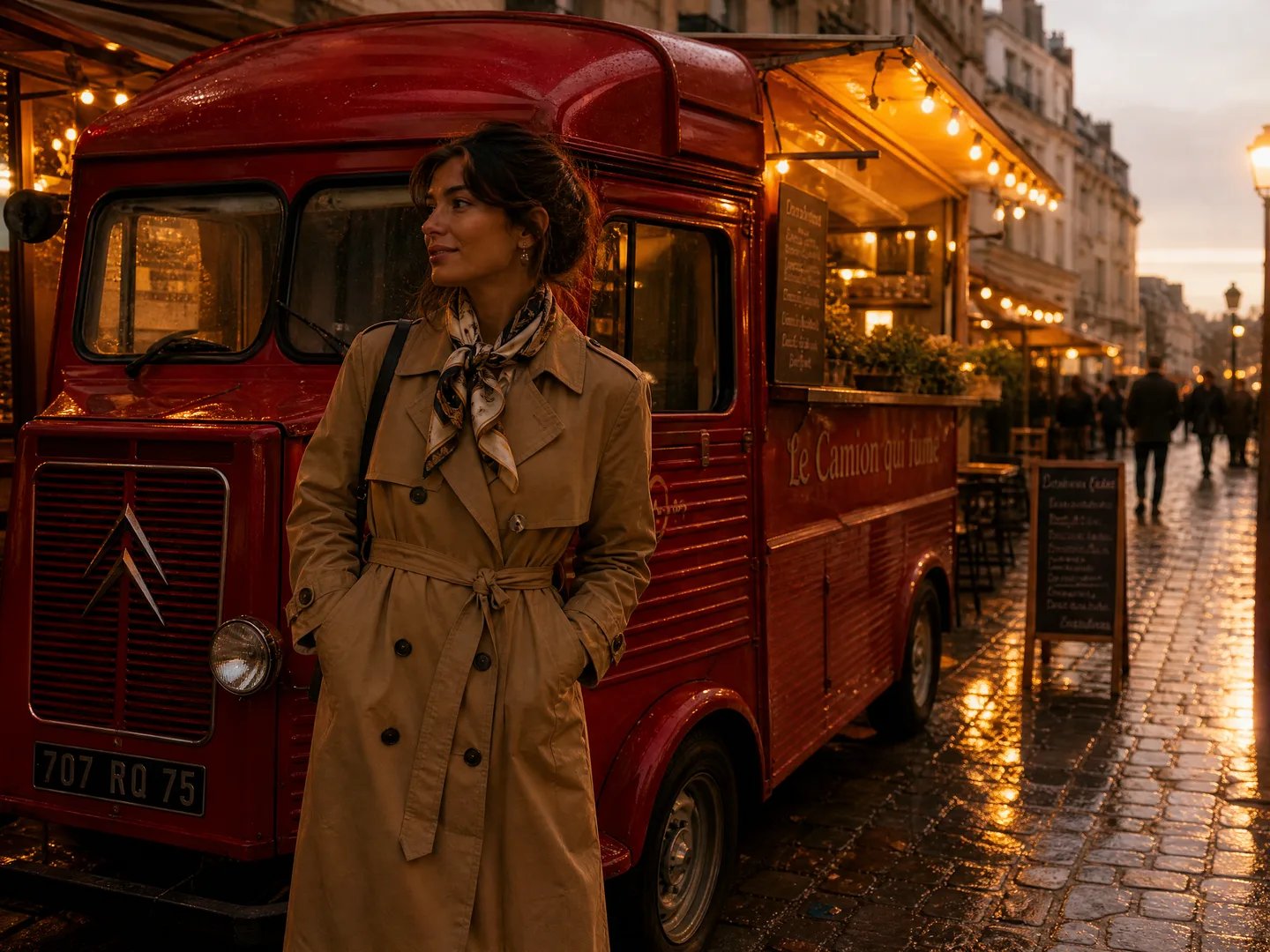
- Combine character portraits, props, and dusk street lighting while preserving facial bone structure.
- Switch to GPT Image 2 (2K, 16 credits) when distant full-body shots require sharper small-face locking.
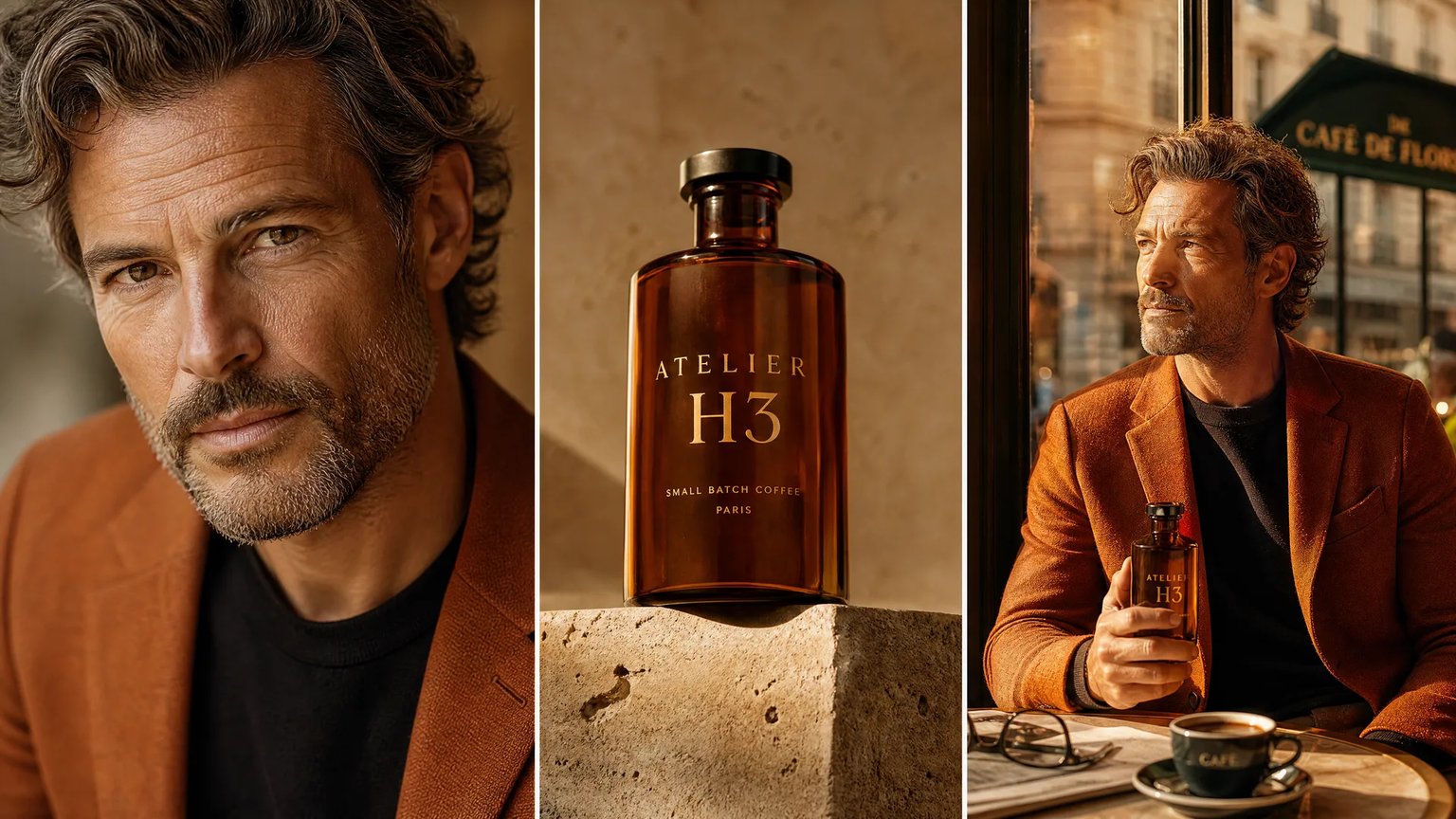
Quoted Display Lettering, Packaging Mockups & Multi-Panel Layouts
Standard diffusion pipelines treat words as decorative squiggles, turning restaurant posters, manga dialogue bubbles, and bottle labels into unreadable gibberish. Backed by a 32-billion-parameter vision-language encoder, H3 Image follows structured spatial prompts and renders exact double-quoted headlines on embossed packaging boxes, faceted glass bottles, ceramic ramen rims, and multi-panel comic pages.
- Wrap target words in double quotes (e.g., "AURORA BOTANICA") and specify surface embossing or ink style.
- Construct multi-panel manga pages with distinct speech bubbles, wanted posters, and sound effects.
- Export flat 4K RGB PNG and WebP rasters (does not export editable SVG vectors, PSD layers, or CMYK files).

Why Creators Run H3 Image on nabn Instead of Local ComfyUI
Engineered for instant 4K cloud throughput, reference image editing, and honest multi-model workflow switching.
12-Credit Native 4K Output
Generate 4K text-to-image scenes or edit a reference photo for 12 credits per run without renting hourly cloud GPUs or upgrading local VRAM.
Reference Photo Editing
Attach one PNG, JPG, or WEBP reference (up to 30MB) to lock a character face, restyle a scene, or remove unwanted objects.
Quoted Typography & Panels
Leverage Qwen3-VL-32B prompt comprehension to place quoted brand wordmarks on glass bottles, ceramic bowls, and multi-panel comic strips.
3-Model Studio Switching
Compare H3 Image (4K, 12 credits) alongside GPT Image 2 (2K, 16 credits) and Nano Banana 2 (4K, 18 credits) plus AI Enhance (2 credits).
nabn H3 Image Cloud Studio vs. Local ComfyUI & Single-Model T2I Tools
Side-by-side technical breakdown of VRAM hardware requirements, reference editing, resolution sweet spots, and file export boundaries.
| Workflow Dimension | nabn H3 Image Workspace | Local ComfyUI / GGUF (66GB Weights) | Pure Text-to-Image Generators |
|---|---|---|---|
| Hardware & Setup Footprint | Instant browser workspace; zero 66GB checkpoint download or custom node debugging | Requires 66GB disk space, 16GB–24GB+ VRAM, or 50-minute waits on 6GB budget GPUs | Browser-based, but locked to a single proprietary model architecture |
| Reference Image Editing | One reference image (PNG/JPG/WEBP ≤30MB) routed to minimax-h3/image-edit at 12 credits | Requires manual ref2va node wiring and heavy additional VRAM overhead | Cannot attach a reference photo to remove obstacles or lock identity |
| Resolution Calibration & Sharpness | Pre-tuned native 4K output across 1:1, 4:3, 3:2, and 16:9 with optimal distillation steps | Defaulting to 1024×1024 or >6 steps causes video-frame softness and overbaked grain | Often capped at 1K or upscaled with plastic skin-smoothing artifacts |
| Distant Faces & Multi-Model Backup | Switch to GPT Image 2 (2K, 16 credits) or Nano Banana 2 (4K, 18 credits) in one click | Distant small faces can blur without downloading separate face-detailer models | Requires separate paid subscriptions across multiple websites to compare models |
| Export Formats & Design Boundaries | Flat 4K/2K RGB PNG & WebP; does NOT export SVG vectors, layered PSDs, CMYK print files, or weights | Outputs flat RGB PNGs; no native vector SVG or CMYK prepress separation | Flat RGB rasters only; frequent gibberish on unquoted multi-line body text |
| Cost & Credit Predictability | 12 credits (H3 Image 4K), 16 credits (GPT Image 2 2K), 18 credits (Nano Banana 2 4K); 9 plans ($20–$999) | High upfront GPU hardware cost or hourly cloud pod billing even while idle | Wasted credits re-rolling prompts without reference-photo identity anchoring |
How to Generate & Edit 4K Visuals with H3 Image
Go from text prompt or an uploaded reference photo to a native 4K PNG/WebP render in three steps.
Select H3 Image (4K, 12 Credits) & Reference Mode
Open the 16:9 studio workspace above with H3 Image pre-selected at 12 credits per generation, or attach one reference image (PNG, JPG, or WEBP, up to 30MB) to automatically activate 4K reference editing at 12 credits.
Write a Structured Prompt with Double-Quoted Display Text
Load one of our 4 verified presets or describe your subject, camera focal length (such as 28mm or 40-degree overhead), lighting direction, and exact display words inside double quotation marks. Use optional AI Prompt Enhance (2 credits) to expand shorthand ideas.
Render in 4K or Compare with GPT Image 2 & Nano Banana 2
Generate your 4K raster image in seconds and export high-resolution PNG or WebP files. For distant full-body faces or dense poster typography, switch to GPT Image 2 (2K, 16 credits) or Nano Banana 2 (4K, 18 credits) in the same editor.
Production Use Cases for the H3 Image 4K Workspace
Tailored 4K synthesis and reference-editing workflows for comic artists, character designers, brand marketers, and photographers.
4K Manga Pages & Quoted Speech Bubbles
Draft multi-panel wuxia and comic strips with ink line art, watercolor paper grain, and legible double-quoted dialogue bubbles and wanted posters.
2×2 Character Expression Sheets & Ref2I
Upload a reference portrait to lock facial bone structure, skin tone, and hairstyle across neutral, smiling, serious, and laughing studio close-ups.
Packaging Mockups & Commercial Food Shots
Render 4K perfume bottles, travertine coffee apothecary labels, and overhead ramen set meals with crisp printed rim lettering and natural speculars.
Candid Night Portraits & Obstacle Removal
Synthesize 28mm night harbor portraits with authentic skin pores, or upload street and beach photos to remove foreground obstructions via plain-English edits.
Start Creating with H3 Image in Native 4K Today
Generate 4K scenes and edit a reference image in your browser for 12 credits—no 66GB local downloads or ComfyUI setup required.
Account sign-in and credits required. H3 Image 4K generations and edits cost 12 credits, GPT Image 2 (2K) costs 16 credits, Nano Banana 2 (4K) costs 18 credits, and optional AI Prompt Enhance costs 2 credits across 9 paid plans ($20 to $999 USD).
View pricing and credit packagesFrequently Asked Questions About H3 Image on nabn
Verified answers on 12-credit 4K pricing, browser execution vs. ComfyUI, reference image editing, quoted typography, and output boundaries.