
AI Podcast Cover Generator
An AI podcast cover generator turns your show brief into visual concepts. Explore an illustrated conversation, a paper-crafted story world, or an editorial portrait composition. Review every title and prepare the finished file for your podcast platform.
Use an AI podcast cover generator to explore show-specific artwork, then refine titles and check upload requirements. Start your cover concept.
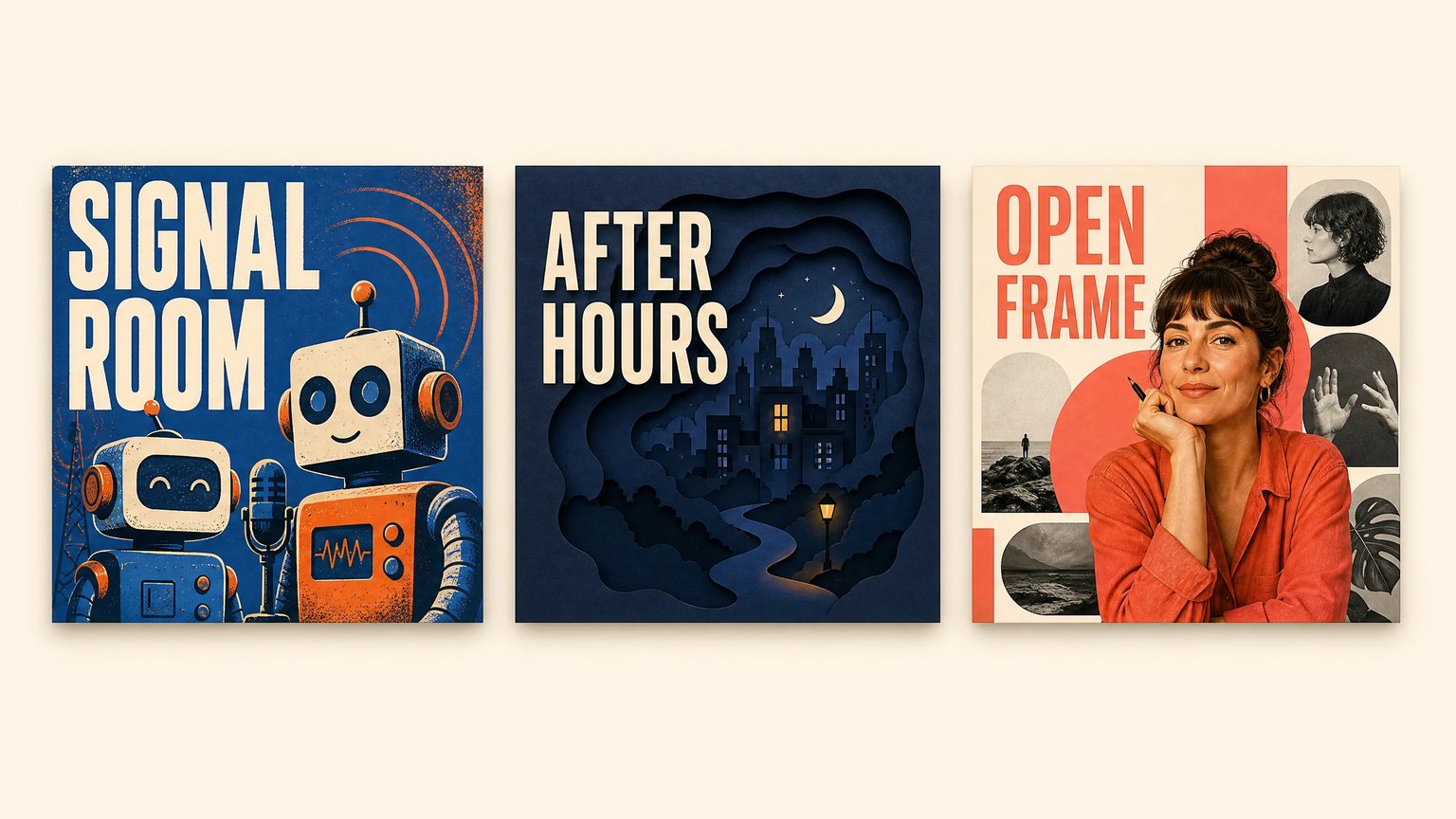
Explore Your Show’s Visual Identity
Choose a model, describe your show, and generate a square cover concept. The gallery presents illustrative examples; your result will vary.
What Is an AI Podcast Cover Generator?
An AI podcast cover generator is a text-to-image tool for exploring show artwork, episode visuals, interview covers, and narrative cover concepts. Independent hosts describe their topic, mood, palette, and composition to generate raster images. Creators then review lettering, refine layouts, and prepare files for their podcast platform.
Illustrated Conversation Covers
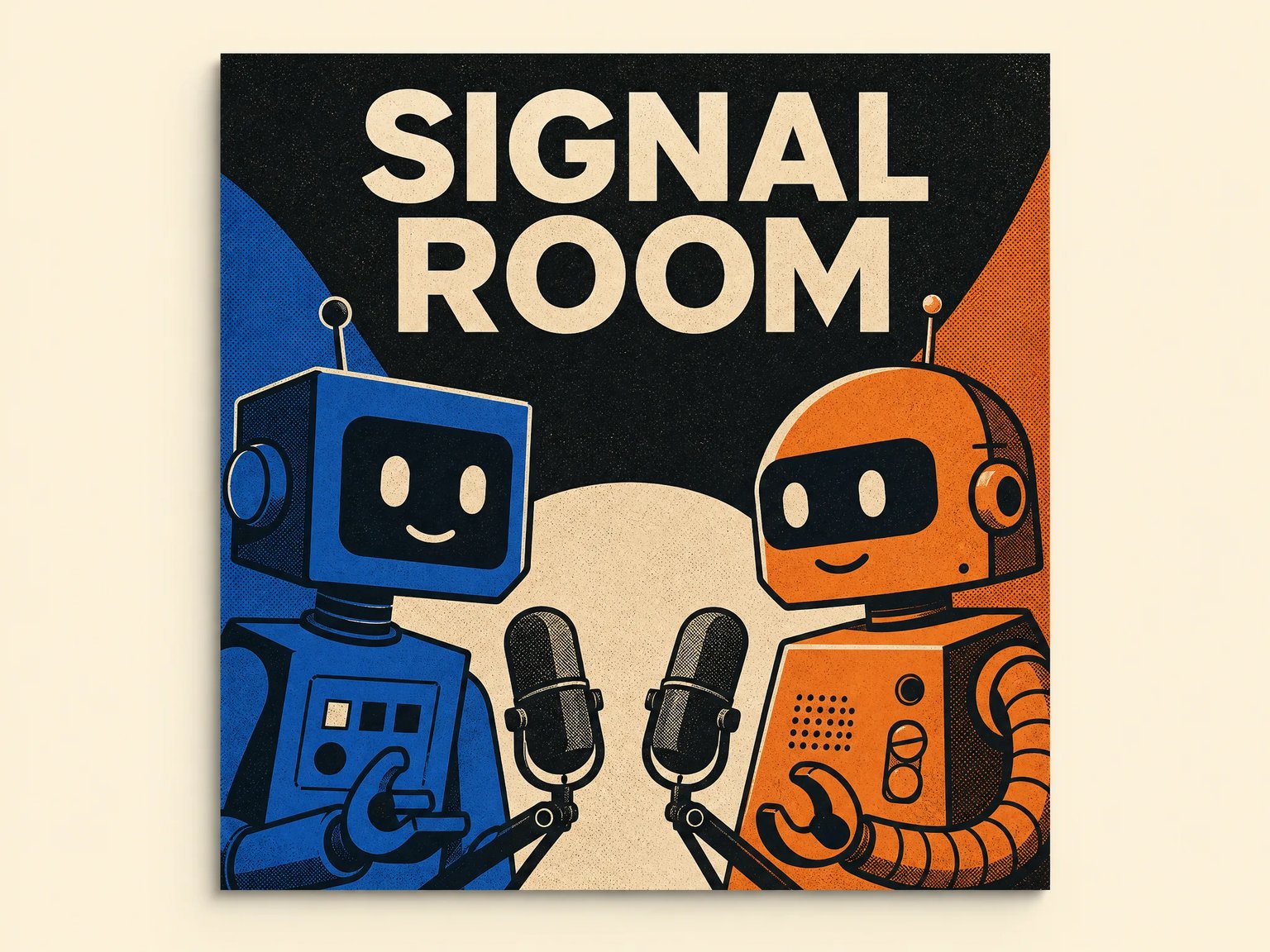
Give a technology or business conversation a recognizable visual subject. The SIGNAL ROOM example uses two robot hosts, a restrained blue-orange palette, and prominent lettering. Describe the relationship between your subjects, then inspect the generated title at both full size and thumbnail scale.
- Specify the number of subjects and one clear focal point.
- Use a short title with strong contrast against its background.
- Simplify distracting details before preparing the final layout.
Narrative Covers with a Sense of Place
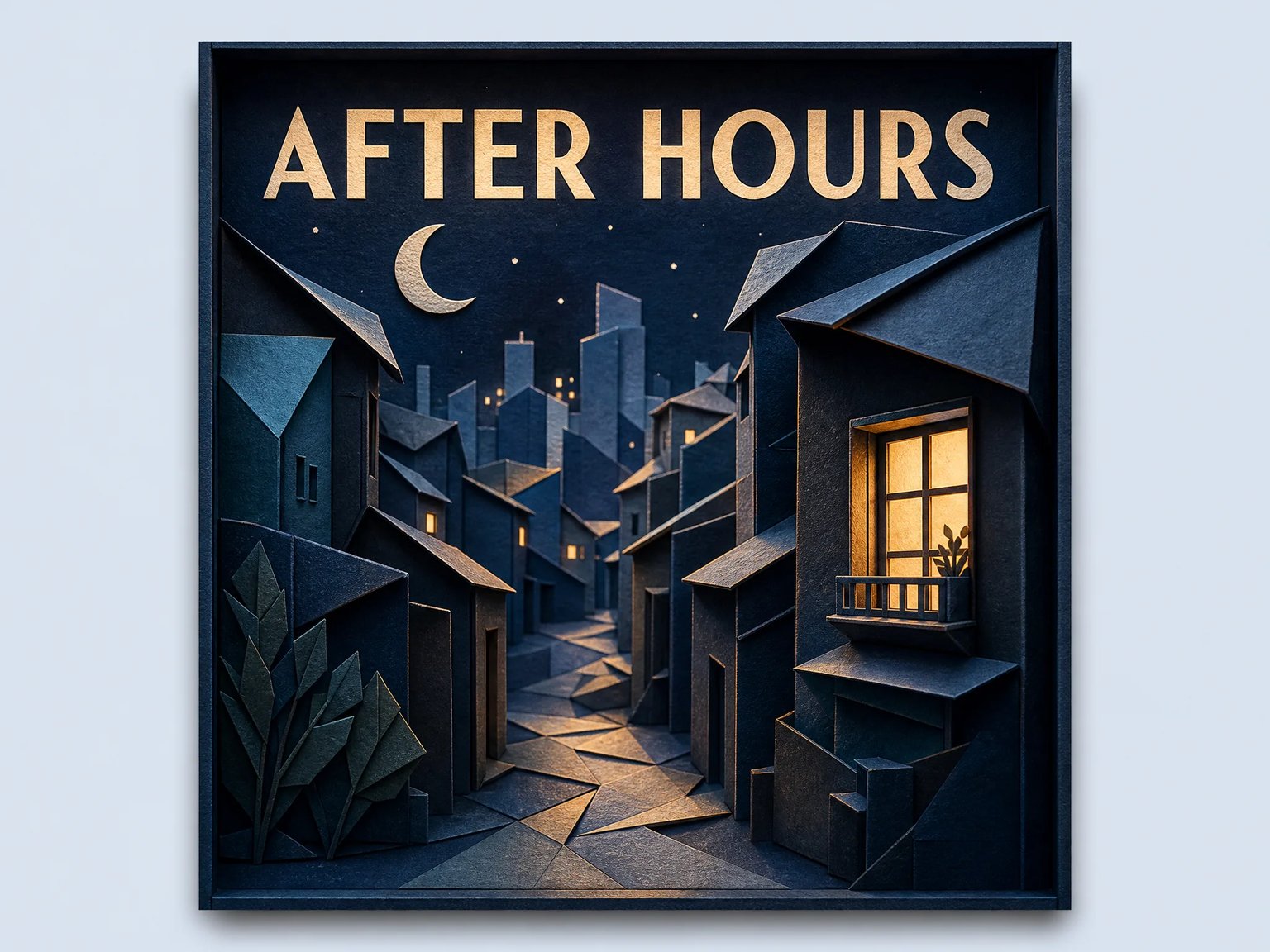
Translate a story’s setting into a visual cue. AFTER HOURS uses layered paper buildings and warm windows to suggest an intimate night-time narrative. Name a place, atmosphere, and material in your brief; avoid imagery that promises a different subject from the episodes you publish.
- Describe setting and mood instead of adding unrelated symbols.
- Use paper texture and separated layers to explore depth.
- Keep the title area distinct from detailed scenery.
Editorial Covers for Creative Interviews
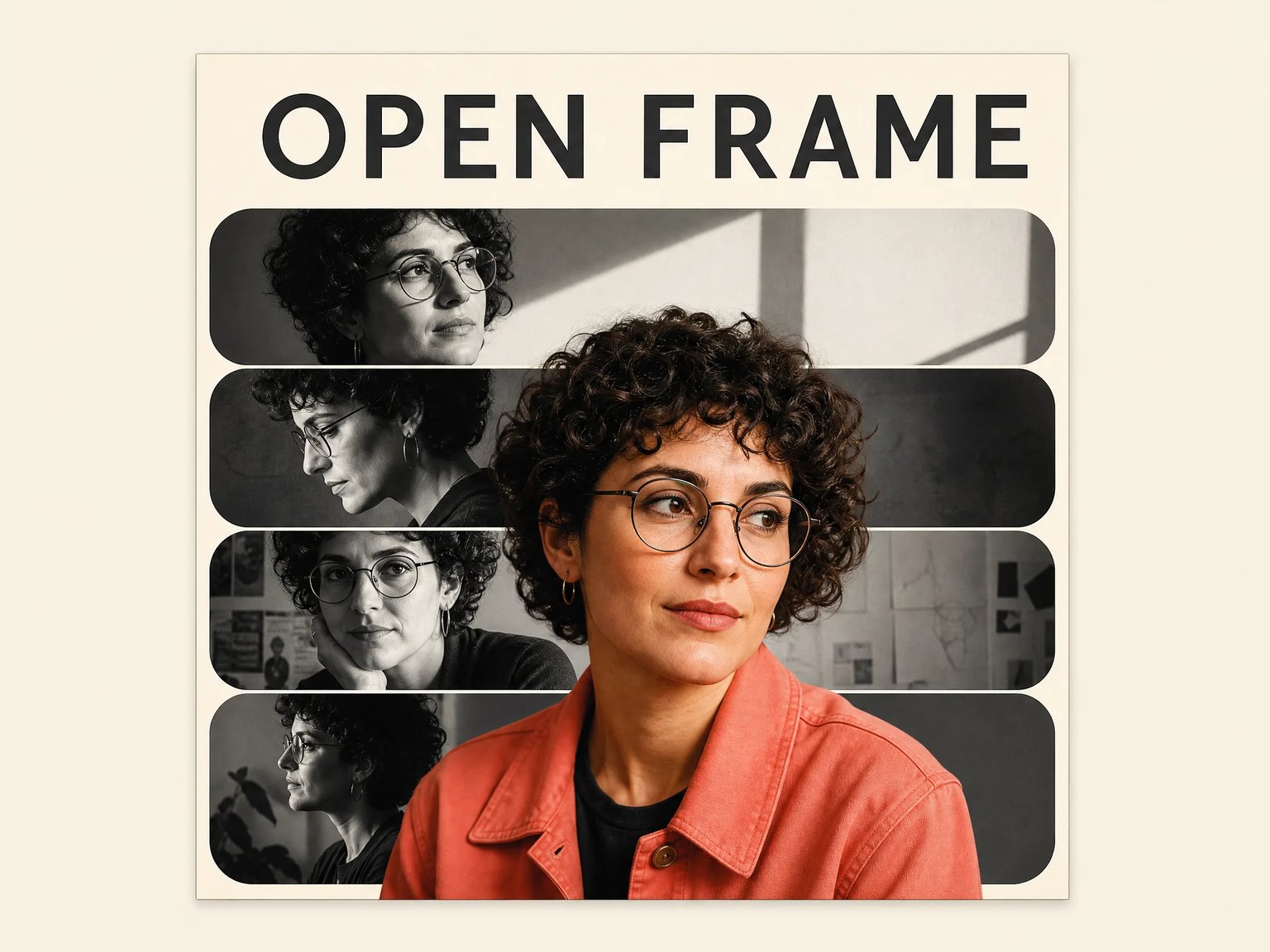
Explore an editorial direction with monochrome panels and a colorful foreground portrait. OPEN FRAME depicts a fictional person. For a real host’s exact likeness, compose authorized original photographs in a suitable photo editor rather than relying on a text-generated portrait.
- Compare a portrait-led concept with an object-led alternative.
- Keep the show title unobstructed by faces and collage layers.
- Treat the example as inspiration, not an identity-preservation feature.
Struggling to Turn Your Show into a Clear Cover?
Start with one sentence about the show, one recognizable subject, and one mood. Generate a concept, inspect it as a thumbnail, and decide what to remove. Separate artwork exploration from exact typography so a promising image does not lock you into incorrect lettering.
Show-Specific Prompt Briefs
Describe the topic, audience, mood, and focal subject instead of starting from an unrelated stock image. The examples provide different visual approaches to the same podcast-cover task.
Square Visual Exploration
Generate at a 1:1 aspect ratio for a cover-oriented composition. Check model output dimensions before preparing the final upload file.
A Separate Typography Pass
Request a short title or leave room for lettering. Review spelling and contrast; use an external editor for exact fonts, spacing, or editable text.
Original-Image Access
Open the image through Open / Save Original. The result is raster artwork; layered design files and platform publishing require a separate workflow.
AI Cover Concepts and Manual Design: What Each Step Provides
Compare responsibilities across a typical workflow. These are process differences, not measured speed or cost savings; designer deliverables depend on the agreement.
| Decision | This AI Generator | Manual Cover-Design Workflow |
|---|---|---|
| Starting Material | A text brief describing the show and visual direction | A brief plus chosen photographs, illustrations, or other assets |
| Concept Exploration | Generate another raster image after changing the prompt | Sketch, arrange, or revise individual design elements |
| Exact Title Typography | Inspect generated lettering; finish externally when precision matters | Set and edit text with layout and typography controls |
| Real Host Likeness | Text-generated people do not establish identity preservation | Place authorized original photographs and review retouching |
| Final Dimensions and File | Check the original image, then prepare the required square JPG/PNG externally | Set the agreed canvas and export settings in the design file |
| Cost and Editable Delivery | 16 or 18 credits per image, depending on model; raster result | Tool subscription or agreed designer fee; confirm source-file delivery |
How to Create a Podcast Cover Concept
Move from a focused show brief to a reviewed image and a separate platform-ready finishing workflow.
- 01
Write a Focused Show Brief
Describe your topic, audience, mood, palette, and main subject. Keep the request to one square cover. Use your exact show title, or request an uncluttered area for later typesetting.
- 02
Generate and Review the Concept
Sign in, select a model, and check its credit cost. Inspect the subject, spelling, and composition. Refine the prompt for another generation if the image misrepresents your show.
- 03
Finish the Upload File
Use Open / Save Original, then refine text and layout externally. Check thumbnail readability, pixel dimensions, JPG/PNG format, color mode, and transparency against your platform’s requirements.
Cover Workflows for Different Podcast Teams
Choose a visual approach that reflects what your listeners will actually hear.
Independent Hosts
Explore a visual direction before committing to a lasting show identity. Compare a character-led image with a simpler symbolic cover.
Interview Producers
Develop an editorial direction, then use an external template for exact guest photos, typography, and episode details.
Narrative Creators
Test settings, materials, and atmosphere that communicate the story without crowded text or unrelated visual symbols.
Small Production Teams
Bring visual concepts to a review meeting. Record the chosen palette and layout rules before preparing a reusable template.
Give Your Podcast a Clear Visual Starting Point
Describe the show, explore a square cover concept, and review the details before publishing. Keep typography, rights checks, and upload preparation in your finishing workflow.
GPT Image 2: 16 credits per image. Nano Banana 2: 18 credits per image. Sign-in and sufficient credits are required.
Paid plan and credit-pack prices: $20–$999 USD across 9 options.
Podcast Cover Questions and Practical Answers
Artwork requirements, title readability, credits, and the boundaries of AI-generated cover concepts.